

What does a designer need to know before drawing your SaaS product's logo? The useful answer starts with the product, its audience and the places the identity must work. A collection of attractive marks can support that explanation, but it can't supply the missing business decisions.
A brief gives the designer a defined problem and gives the team a basis for reviewing proposals. It should also expose unresolved questions early enough to change the scope.
This guide provides an original copyable blank template and a filled briefing exercise around a fictional SaaS product. Existing Resource Box entries support reference collection, layout context and font-source records. No example represents a client engagement, an audience study or a cleared brand identity.
Design task
Copy this logo brief template
Copy the table into your shared project document and replace the bracketed prompts. For each entry, record Confirmed, Proposed or Unresolved, followed by the person responsible. Give unresolved items a next action instead of guessing an answer.
This is an original reusable template; no account or new application is required to use it.
| Field | Your entry | Status and responsible person |
|---|---|---|
| Document | [Project name, version and date] | [Status; owner] |
| Reason for the project | [What changed, and what problem should this work address?] | [Status; owner] |
| Current product | [What it currently helps someone do; separate roadmap ideas] | [Status; owner] |
| Exact name and wording | [Approved spelling, tagline and language requirements; review still needed] | [Status; owner] |
| Audience context | [Buyer, everyday user and relevant situations; identify assumptions] | [Status; owner] |
| Scope and exclusions | [What is commissioned now, and what remains outside this phase?] | [Status; owner] |
| Existing identity | [Approved assets or relationships to retain; link their source] | [Status; owner] |
| Real placements | [Where the logo must work; link actual layouts where available] | [Status; owner] |
| Delivery and editing | [Required receiving files, future edits and dependencies to confirm] | [Status; owner] |
| References | [Original URL and creator; observable relationship and reason for including it] | [Status; owner] |
| Preferences and constraints | [Separate fixed requirements from optional visual preferences] | [Status; owner] |
| Review criteria | [What will be inspected, by whom, and what evidence is still needed?] | [Status; owner] |
| Decision process | [Accountable approver, contributors and how feedback is consolidated] | [Status; owner] |
| Practical agreement | [Budget range, milestones, review dates and scope-change process] | [Status; owner] |
Below the table, keep an open-question list with an owner and next action for each item. The filled Relaynest example later in this guide shows how to make a fictional brief specific without pretending that proposed decisions are approved. A complete set of fields is not evidence that the audience, name or identity has been validated.
Decide which project you are commissioning
A new logo, an identity refresh and a complete brand system are different pieces of work. A product that already has a recognised mark might need better application rules rather than a replacement. A new business may need positioning work before visual exploration can begin.
Write the immediate problem in plain language. For example: the approved company name needs an identity that works beside a dense product sidebar and a short website navigation. That is more useful than asking for a “premium, modern logo” without explaining the surroundings.
Name what is included and what will remain outside the project. If motion, an illustration system or a website redesign is required, list it separately so a logo proposal isn't expected to solve an unstated production programme.
Distinguish known constraints from open choices
A fixed company name is a constraint. A preference for a particular shade might be an open choice. An existing parent-brand relationship can impose a real approval requirement.
Treating all three as equally negotiable creates avoidable confusion.
Use three labels: confirmed, proposed and unresolved. Keep a source or an owner beside consequential items. If the name has not received the appropriate business review, say so rather than letting polished artwork imply it has.
The brief should make uncertainty visible before the design makes it look settled.
The designer can then explore within a useful boundary and identify which unknowns need a conversation first.
Resource kit
Build a small working kit around the brief
| Resource | Job in this workflow | What to preserve | What it cannot establish |
|---|---|---|---|
| Are.na | Organise visual references and explanatory notes | Original URL, creator and reason for inclusion | Permission to copy an identity |
| Figma | Show the intended logo placement and review context | Named frames, constraints and consolidated comments | Agreement merely because a comment exists |
| Google Fonts | Record an existing or proposed family source | Exact family and source, with applicable terms checked | A font choice for the whole brand without review |
A shared document can hold the brief itself. The resources above support specific evidence and context; the workflow doesn't require buying a new stack or moving an existing project between applications.
Are.na: keep a reference and its explanation together
Are.na's official introduction describes saving content in channels. Its blocks documentation identifies files, URLs and text as content types.
That makes it a candidate for a reference collection containing both an original page and a note about the specific decision worth studying. A note might say that a wordmark has a quiet relationship to dense navigation, rather than merely calling the brand beautiful.
Keep attribution and the original destination. Saving a reference doesn't transfer the creator's rights, prove its effectiveness or explain how it was made.
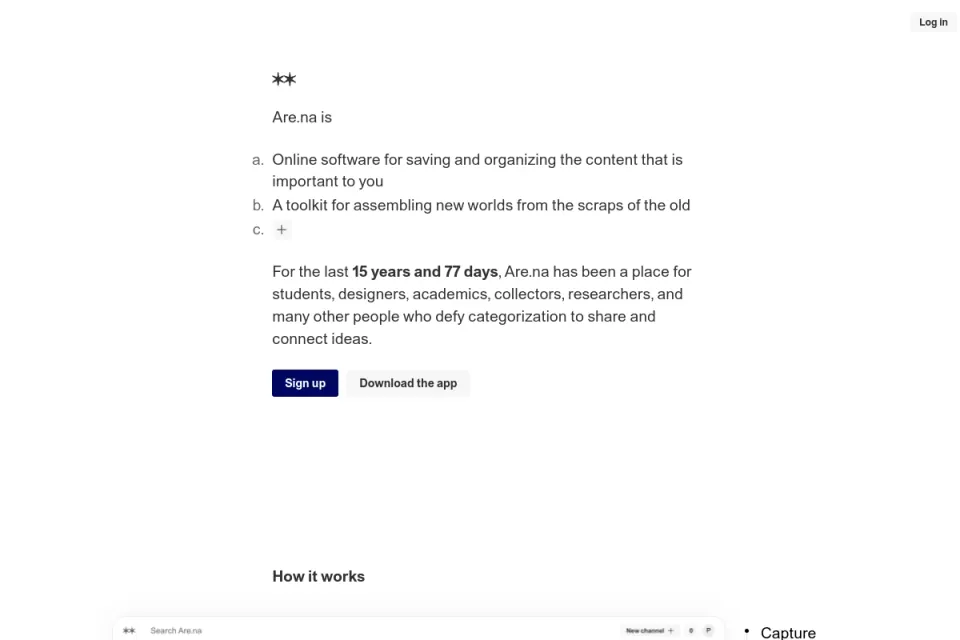
Existing actual public-source preview, visually inspected. Credit: Are.na. It shows the collection platform rather than a project board created for this article.
Figma: show the application that shapes the requirement
Figma's design-file guide documents pages, inspection and commenting, with different capabilities for view and edit access. Use a suitable existing file to show the actual header or product-shell constraints when those layouts exist.
A frame with the available placement is more informative than a sentence saying that the logo should work everywhere. Label a proposed layout as proposed; don't make a placeholder look like an approved final application.
Comments can collect feedback, but the team still needs an owner who consolidates it into decisions. Choose access appropriate to the project rather than assuming everyone needs editing rights.
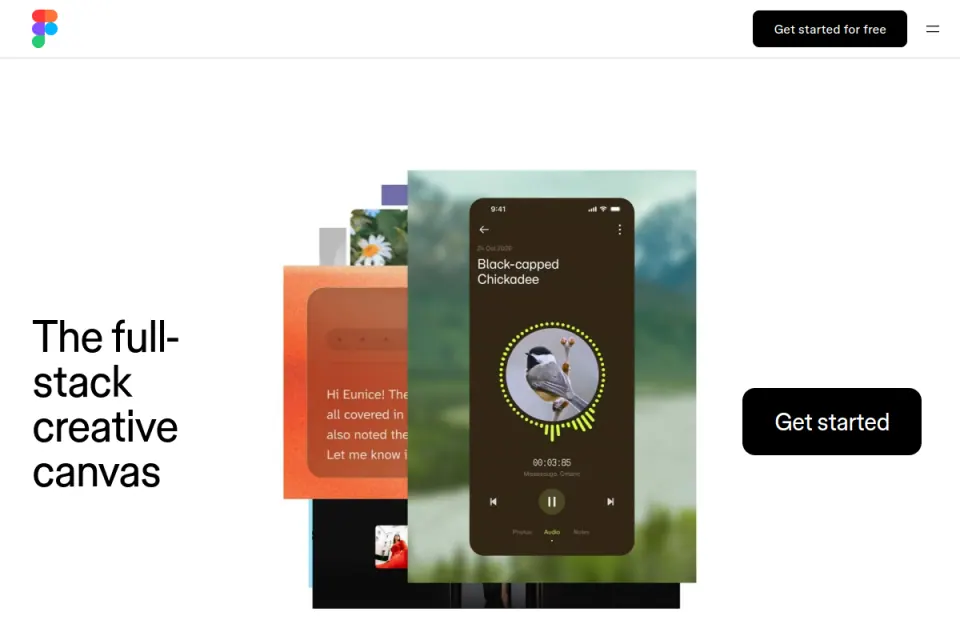
Existing actual public-source preview, visually inspected. Credit: Figma. This is source context, not a completed logo-brief file or a claim of account entitlement.
Google Fonts: document the typography already in use
Google Fonts can provide the original catalogue destination for a family already used by the product. Record the exact family and relevant source when that connection matters to the brief.
The purpose is to show the designer what must coexist, not to prescribe an unresearched wordmark. If the interface uses a different source, supply that source instead. Keep the right to use or share a particular file as a separate check.
The font-resource guide compares discovery sources in more depth. This brief should contain the typography information relevant to the actual project, rather than a long list of attractive alternatives.
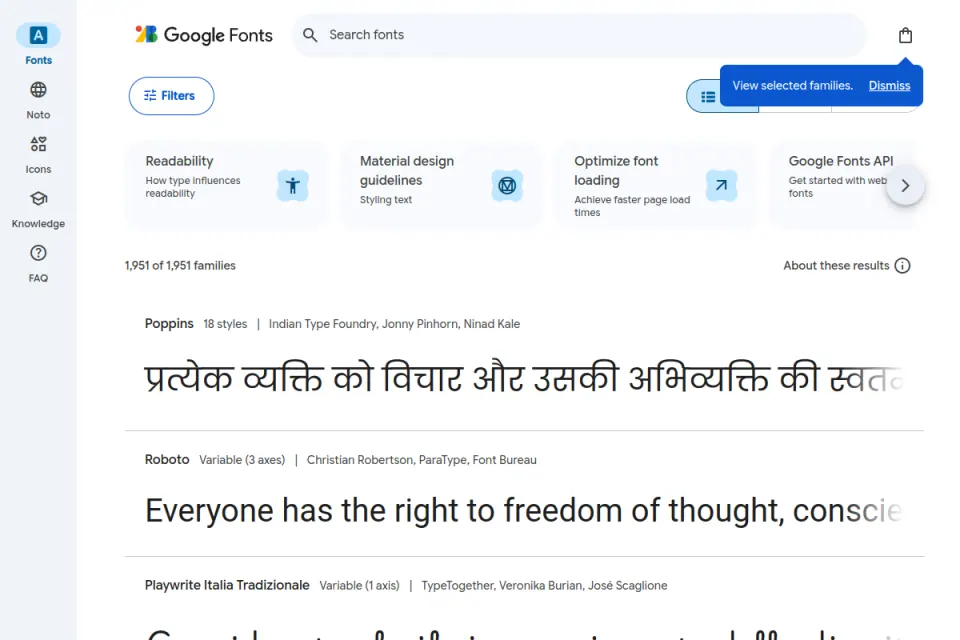
Existing actual public-source preview, visually inspected. Credit: Google Fonts and displayed typeface creators. The shown families aren't prescribed for the fictional brand.
How the pieces work together
Explain the product in a sentence someone can understand
Write what the product helps a particular person do. Avoid relying on a category label such as “AI platform” to explain a distinct workflow. A reader outside the company should understand enough to ask a useful follow-up question.
Include the product's stage and the markets relevant to the identity. If a platform is still being developed, distinguish the current product from planned capabilities. A logo brief shouldn't turn a roadmap into a delivered feature claim.
Attach supporting product material only when it answers a real question. A short accurate explanation is more useful than an inaccessible pitch deck with no indication of which slides matter.
Describe the audience through situations and responsibilities
For a SaaS product, the buyer and everyday user may differ. Record who encounters the website, who sees the product regularly and who approves its purchase when those distinctions affect the work.
Write what is known about those people and label assumptions. “Operations leads reviewing a replacement scheduling system” describes a situation. “Everyone who values productivity” doesn't help the designer understand a particular audience.
Avoid converting that context into a stereotype about what a demographic must prefer visually. If the team wants to test a perception, write the question and the proposed method; don't invent an audience result in the brief.
Give reference notes a job
For each retained reference, identify one observable relationship: compactness, lettering construction, symbol-to-name balance or how the identity sits in a page. Explain why that relationship matters to the project.
Also record the boundary. A useful navigation relationship doesn't mean the team wants to copy the symbol or adopt the same colour. This is especially important when stakeholders share references from direct competitors.
Limit the collection to references the designer can actually understand and use. More examples can be added when a new question appears; a large unannotated board often postpones the discussion rather than resolving it.
Connect deliverables to destinations
List the real applications and the output each requires. The website may need a primary lockup; a browser tab may need a separately designed compact application; an account email may impose different format restrictions.
Confirm which variations are in scope before treating them as automatic deliverables. A symbol-only identity isn't appropriate merely because an export folder has space for it.
For each destination, record the receiving person, any known constraints and what needs checking later. The brief defines those checks; it doesn't claim that the artwork has already passed them.
Limitations and alternatives
A brief isn't a complete strategy or an approval guarantee
A written problem can expose an unclear position without resolving it. If founders disagree about the audience or the reason for a redesign, the immediate next step may be a focused discussion rather than another visual round.
Don't blame every disappointing proposal on the brief. Execution, communication, scope and interpretation also matter. A clearer brief creates a review basis; it doesn't promise that the first direction will be accepted.
Keep the document open to correction. When new evidence changes an important assumption, record the change and assess the effect on work already underway.
Avoid prescribing a solution accidentally
A functional constraint can be legitimate: the identity must fit a known navigation area. A sentence demanding a particular symbol, gradient and typeface may instead eliminate the exploration the team commissioned.
If a visual preference is fixed, explain its status and reason. If it is optional, give the designer room to propose an alternative that serves the requirement better.
An existing identity refresh has different boundaries. Preserve the assets and recognisable relationships that are actually approved, and clearly identify what may change. Don't write a refresh brief that silently authorises a completely new brand.
Keep rights responsibilities specific
Identify supplied assets and their origins. Note which references are for observation only, which existing files the team can use and who will review the intended commercial application.
A reference board doesn't establish permission to reproduce someone else's artwork. An AI-assisted creation route also needs its own output, plan and terms review. The brief can assign that responsibility without pretending to perform a legal clearance.
A designer-led process, a guided maker and an internal team may all use the same project context. Their deliverables, responsibilities and review depth can still differ, so clarify them in the actual agreement.
Worked example
Turn a vague request into a reviewable brief
Consider the fictional product Relaynest, a scheduling workspace for small service teams. The teaching scenario assumes an existing product shell and an early marketing page. Neither the product nor the name is presented as an established, cleared business.
The starting request is “make a confident logo that feels modern.” The revised brief introduces context and separates decisions from assumptions.
| Brief field | Fictional entry | Status or follow-up |
|---|---|---|
| Product | A scheduling workspace for small service teams | Teaching assumption |
| Primary encounter | Website evaluation followed by repeated product use | Audience research still required |
| Immediate scope | Logo direction and approved digital applications | Wider brand system excluded from this phase |
| Fixed wording | Relaynest, exact spelling | Business/name review not represented as complete |
| Main placements | Website header and product sidebar | Actual frames needed before artwork acceptance |
| Editing need | Maintainer must revise approved source later | Confirm source and dependencies in the agreement |
| References | Annotated placement and proportion observations | Original creator and URL retained |
| Approval | One accountable decision owner collects input | Owner must be named by the real team |
The revised brief doesn't tell the designer what shape to draw. It makes the task and unresolved work easier to see.
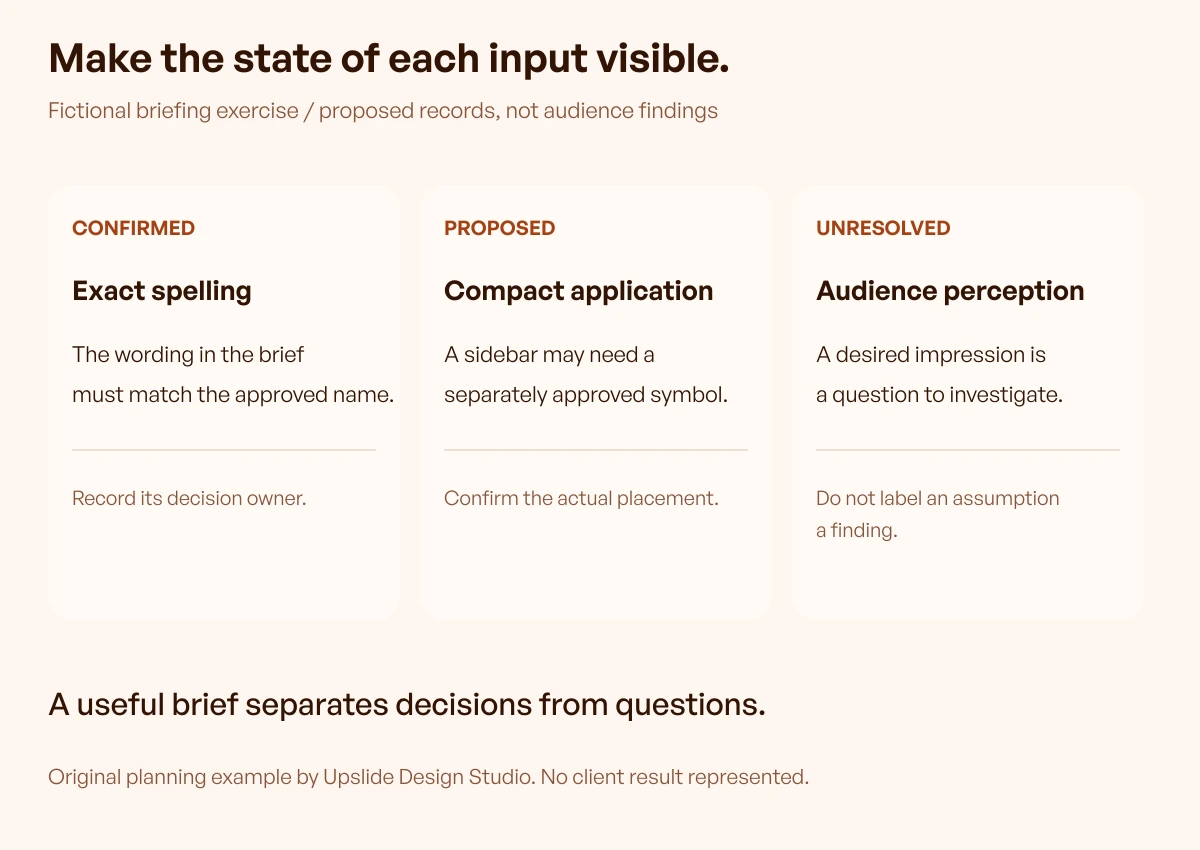
Original fictional exercise by Upslide. The diagram illustrates document states; it isn't a completed client brief or an audience-validation result.
Add criteria that can guide a conversation
For Relaynest, the review might ask whether the exact name is readable in the intended header, whether the proposed direction fits the written product context and whether the compact application preserves the approved identity.
Some answers need visual inspection; others need a conversation or research with relevant people. Don't compress them all into a numeric score that implies scientific certainty.
Record a reason alongside a decision. “Revise because the sidebar requires a different unapproved crop” provides a concrete next action. “It doesn't feel SaaS enough” needs clarification before another round starts.
Keep personal taste visible as taste. It can matter to a founder's decision without being disguised as a proven user preference.
Make the first review a bounded milestone
Ask for directions at the level actually commissioned, with explanations tied to the brief. Keep early mockups labelled as demonstrations rather than delivered assets. A polished website scene can make a direction look settled before its source and small applications have been considered.
At review, separate a direction decision from requests for refinement. Record what is accepted, what needs revision and which requirement the change serves. Avoid combining several incompatible directions simply because different stakeholders prefer parts of each.
After selecting a direction, confirm the next deliverables and checks. The brief remains the reference for what was requested; the review log records what the team learned and decided.
Use a small change log
Suppose the fictional team adds a partner co-branding requirement after the first review. Record the new requirement, why it appeared, which applications it affects and who approves the scope change.
A designer can then assess the consequence rather than silently treating it as a minor export. The same applies if the company name changes, another writing system is required or a new physical application is added.
Keep earlier decisions accessible so the team can understand why a direction changed. The goal is a dependable brief, not a document that pretends the original request never moved.
Run a handoff check on the brief itself
Give the document to someone who wasn't in the original discussion. Ask them to explain the product, immediate scope, fixed constraints, open questions and approval process.
If they cannot identify one of those, revise the relevant part. This is a proposed comprehension check, not a completed usability study or a demand for a particular document length.
Keep links accessible to the intended reviewer and mark confidential material appropriately. A reference that only the founder can open doesn't provide useful context to the commissioned designer.
Continue in Resource Box and Inspire
Use Resource Box to choose the reference, layout and source tools that support the brief. Adopt a new tool only when it closes a practical gap in the current process.
Use Daily Inspire to find real page contexts worth observing. Follow the original link, credit its creator and write the specific design relationship relevant to your brief.
For wider website context, continue with the SaaS website guide. This article uses existing resources; it doesn't need a particular day's gallery to be valid.
Frequently asked questions
How long should a SaaS logo brief be?
Long enough to communicate the actual problem, scope, audience, constraints and approval process. Keep supporting detail accessible without burying the decisions. There isn't a universal page count that makes a brief effective.
Should a founder choose the logo style in advance?
Explain fixed requirements and meaningful preferences, but leave open choices open. If the purpose of the commission is to explore directions, prescribing every visual component removes much of that work.
Can we use competitor logos as references?
They can help explain the landscape or an observable relationship, with clear attribution and a note about what is relevant. They don't provide permission to copy a mark or evidence that adopting its style will reproduce its results.
Do we need a complete brand strategy first?
The scope determines the prerequisites. A brief may reveal a positioning disagreement that needs resolving before design starts. A small application update may instead need existing rules and a clearly bounded task.
Should the brief include fonts and colours?
Include existing approved sources and genuine constraints. Label proposed directions as proposed and explain why they matter. A logo brief doesn't need an unreviewed catalogue of font and colour favourites.
Who should approve the work?
Name an accountable decision owner and explain how other stakeholders contribute. Record decisions against the brief so feedback doesn't become a set of conflicting instructions passed directly to the designer.
Can the same brief be used with an AI logo maker?
The product context can be useful, but the maker's supported inputs and deliverables still need checking. Its output isn't approved merely because the input was clear; source, use conditions and applications require their own review.
When should we revise the brief?
Record changes when a consequential assumption, requirement, destination or approval responsibility changes. Assess the effect on scope and completed work rather than silently replacing the original instructions.
Key takeaways
- Write the product, audience and immediate design problem before collecting styles.
- Label confirmed, proposed and unresolved information.
- Annotate references with an observable relationship and its relevance.
- Connect deliverables to real destinations and review responsibilities.
- Preserve decisions and scope changes so the process remains understandable.
We help SaaS founders turn product context into practical design work. If the brief exposes a wider website or product challenge, discuss it with Upslide.